Coming to Kickstarter — Q3 2026

Turn the knob.
Your time tracks itself.

A physical desk device that switches your virtual desktops and logs your billable hours automatically. No clicks. No friction. No subscriptions.
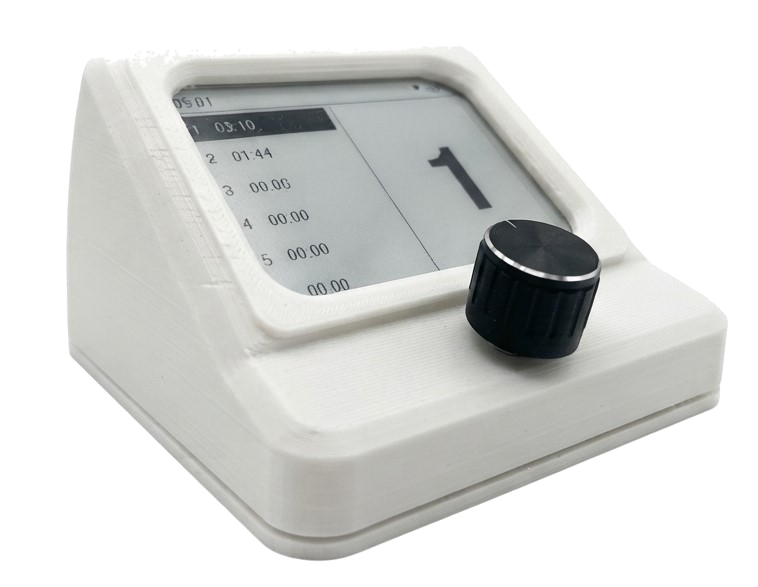
Context Switcher device
4.2 inch
12H ACTIVE + 30 DAYS STAND BY
Bluetooth
No subscription Works with Windows
The problem

You manage 4 clients, 3 side projects, and a full-time job. Your time tracker doesn't know where you are.

Every context switch is manual. Click the taskbar. Find the window. Every single time.

6 6
Project slots
on the e-paper display
< <100ms
Desktop switch
response time
69
Early Bird price
(only 100 units)
0 0
Monthly fees.
Ever.
Live demo

Watch it work. Then try it yourself.

Drag the knob, click any desktop card, or rename your projects below. The e-paper screen updates instantly.

client-a / dashboard.tsx
1import React from 'react'
2export const Dashboard = () => {
3  return <main>
4    <Chart data={kpi} />
5  </main>
6}
#client-a · Slack
SaraShip by Friday?
YouOn it. Demo at 4.
Sara🙌
Acme · Landing.fig
acme.com · Safari
~ / side-proj — zsh
$ npm run dev
▲ Next.js 14.2.3
Local: http://localhost:3000
✓ Ready in 1.2s
✓ Compiled / in 320ms
$ _
localhost:3000
Bills · Invoices Q2.xlsx
#ClientHoursAmountStatus
001Client A42.0€2,940Paid
002Acme18.5€1,295Paid
003Side proj31.2€0Internal
004Client A27.8€1,946Pending
005AcmeDraft
Inbox — 14 unread
Inbox 14
Sent
Drafts
Archive
Sara · AcmeRe: Friday milestone
StripePayment received €2,940
MarcCoffee next week?
GitHub3 new pull requests
Client AInvoice question
Spotify · Deep Focus
Slow Mornings
Various Artists · Deep Focus
1:423:58
DESKTOP 1 / 6
14:3221/05/2026
02:42:26
75%
1-01:02:03
2-00:30:45
3-00:45:12
4-00:07:36
5-00:14:50
6-00:02:00
1
Your 6 virtual desktops
1
Client A
01:02:03
2
Acme
00:30:45
3
Side proj
00:45:12
4
Bills
00:07:36
5
Email
00:14:50
6
Break
00:02:00
How it works

Three seconds. Zero friction.

01 / TURN

Rotate the knob

Turn the encoder to your next project. The e-paper display highlights it with a live timer and large project number — crisp even in direct sunlight.

02 / SWITCH

Desktop jumps

The device sends the switch straight over Bluetooth BLE and your desktop changes in under 100ms. Nothing installed, nothing running in the background.

03 / TRACK

Time tracks itself

Previous timer pauses. New timer starts. Your hours are always accurate, always up to date — without a single click.

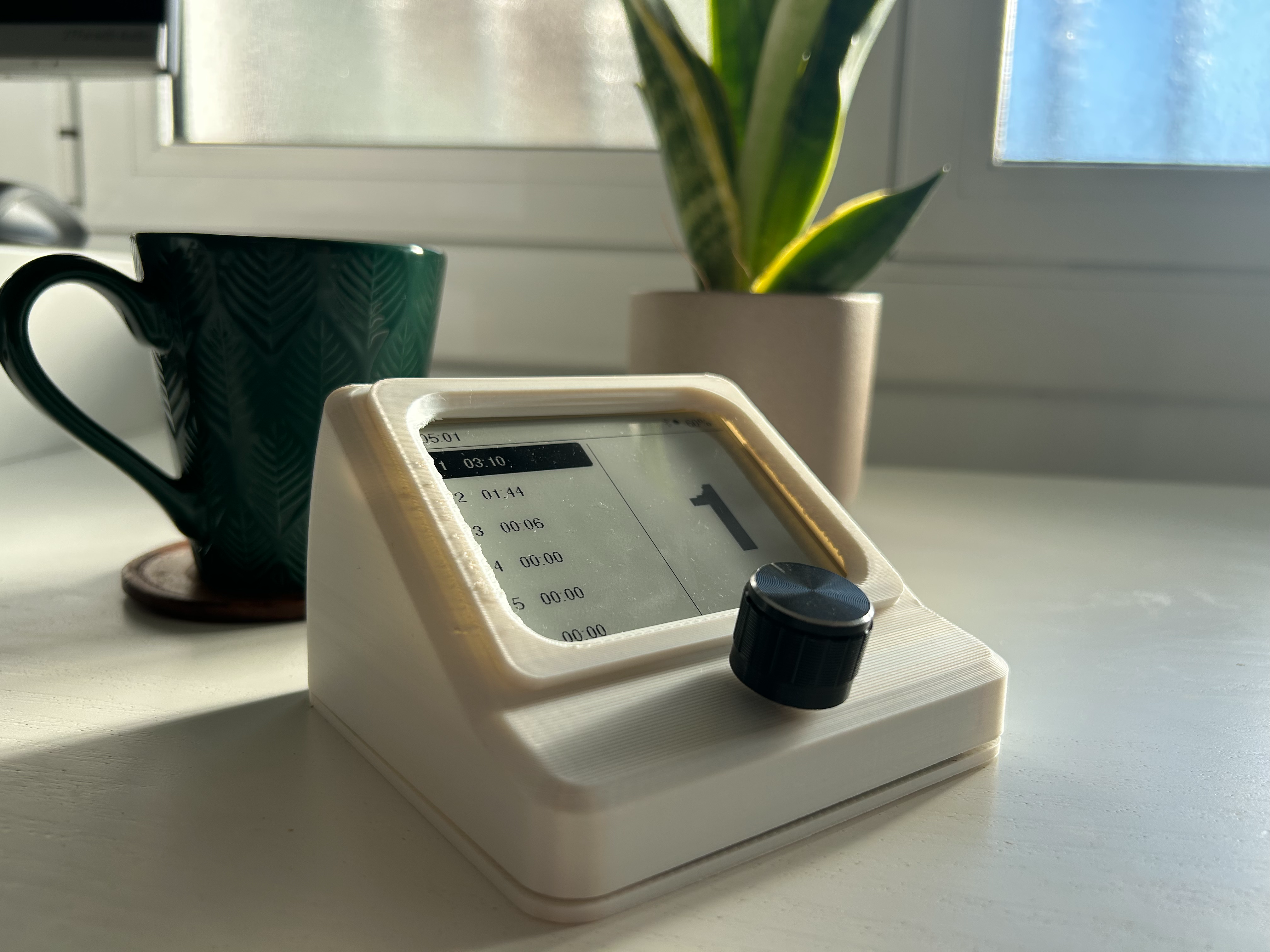
Context Switcher on a desk next to a keyboard
On your desk

Smaller than a coaster.
Always within reach.

114.5 × 110 × 71.5 mm. Sits next to your keyboard. The only thing on your desk that knows what you're working on right now.

BluetoothConnection
USB-CCharging
Features

Designed for focus.

Instant desktop switching

Jump to any of your 6 virtual desktops in under 100ms. No keyboard shortcuts. No taskbar archaeology. One physical action: turn.

Automatic time tracking

Turn the knob — old timer stops, new one starts. Your billable hours are precise to the second. Export CSV anytime.

Bluetooth BLE 4.2

No cables. No dongle. Pair once.

All-day battery

LiPo 3.7V. 12+ hour runtime.

Win + macOS, no install

Pairs over Bluetooth. Nothing to download.

Zero distraction

E-paper shows everything you need.

Private by design

No cloud account. No telemetry. No data collection. Your project names, hours, and habits never leave your machine — period.

Specifications

Built to last. Click a spec to highlight.

Context Switcher hardware
Dimensions114.5 × 110 × 71.5 mm
Display4.2" e-paper
InputEC11 Encoder + Push
MCUESP32-WROOM-32
WirelessBluetooth BLE 4.2
PowerLiPo 3.7V · USB-C
Runtime12 h active · 30 d standby
OSWin 10/11 · macOS 12+
Compatibility

Works with your setup.

Nothing to download. Pair it over Bluetooth and turn the knob.

Day 1 support

The device pairs as a standard Bluetooth keyboard and drives Virtual Desktops natively. No software, no drivers, no account — plug nothing in, install nothing.

1
Turn the device on
2
Pair from Bluetooth settings
3
Start turning the knob

macOS 12 Monterey or later

Day 1 support

Pairs as a standard Bluetooth keyboard and drives virtual desktops. One switch to flip in System Settings the first time — then nothing else, ever.

1
Turn the device on
2
Pair from Bluetooth settings
3
Enable Spaces shortcuts once
4
Start turning the knob
Kickstarter pricing

Back it. Lock your price.

Early Bird tier is capped at 100 units. After that, standard price kicks in.

Standard
79
 
launch price · inc. VAT
  • Context Switcher device
  • No subscription
Duo Pack
145
2× units
two devices · inc. VAT
  • 2× Context Switcher
  • No subscription
FAQ

Questions, answered.

Do I need to download an app?
No. The Context Switcher pairs as a standard Bluetooth device — the same way a keyboard or mouse does. There is no app to download, no driver, no account and no background process. Turn it on, pair it once, and it works.
Will it work with my PC or Mac?
Yes. Standard Bluetooth BLE 4.2 — any computer with built-in Bluetooth or a cheap USB BLE dongle works. No special hardware required.
What if I use fewer than 6 projects?
No problem. Use as many slots as you need; unused ones stay blank. Each slot is just a number on the OLED, so you decide what it maps to.
When does it ship?
Targeting 4–5 months after the campaign funds. Manufacturing starts only once we hit the goal — this protects both us and backers. Exact dates confirmed during the campaign.
Is there a subscription?
No. One-time purchase, no cloud account, no monthly fee, no telemetry. Your data stays on your machine.
Can I export my tracked hours?
The device itself only shows live timers on-screen — there is no app or account to export from.
Now live

Get yours.
On Kickstarter.

Back the campaign and lock in Early Bird pricing before the first 100 units are gone.

Order on Kickstarter

Tweaks

Accent color
Hero density
Reduce motion